SpaceMan 99 User Guide
SpaceMan 99 shows you what is using the space on your disks, and helps you get it back:
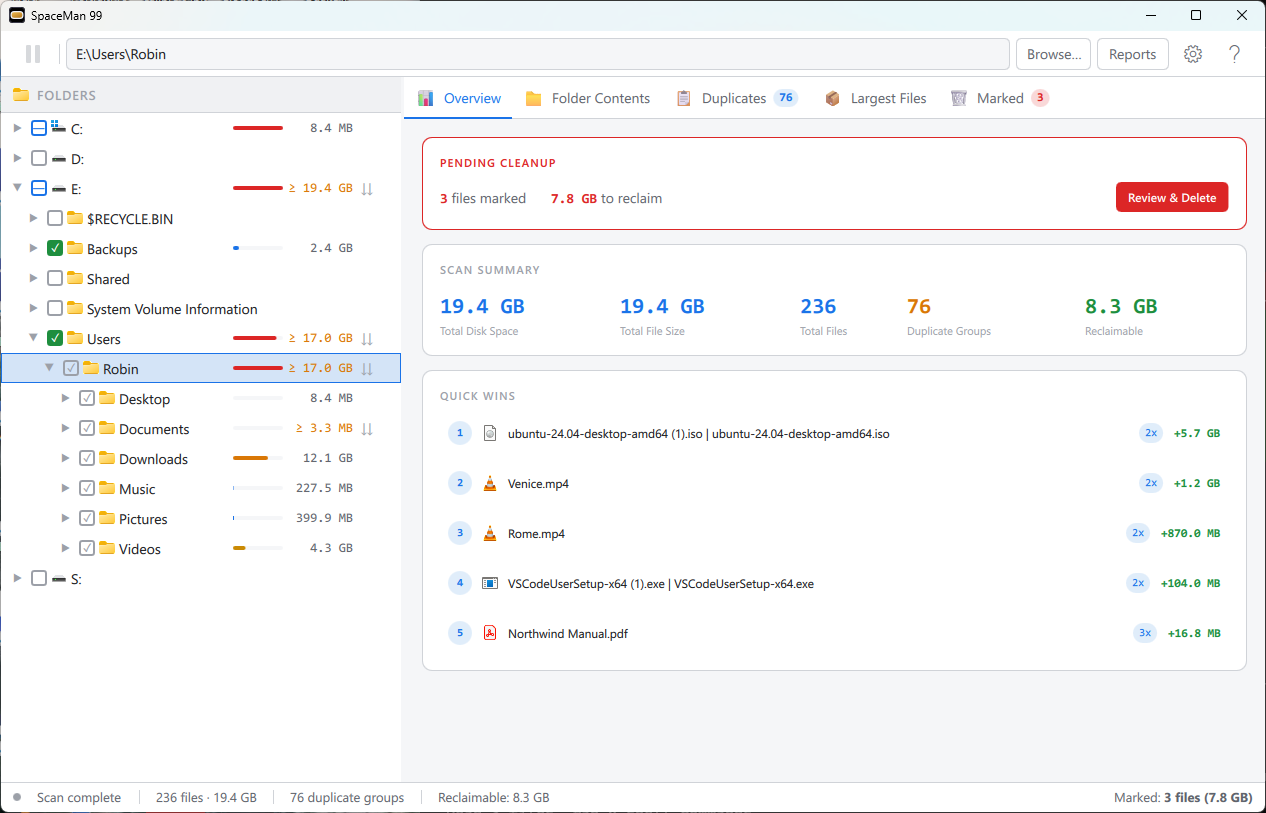
- See where the space goes. Scan a drive or a folder, and every folder shows its size, so the largest ones stand out as you go down the tree.
- Find duplicate files. SpaceMan 99 finds files whose contents are identical, whatever they are called and wherever they are.
- Delete safely. Nothing is deleted until you have reviewed everything you chose, and SpaceMan 99 warns you before you delete the last copy of a file, or anything in a Windows or program folder.
Where to begin
New to SpaceMan 99? Getting Started takes you through one complete cleanup, from choosing what to scan to deleting safely.
Upgrading from SpaceMan 4? Version 5 has been rewritten, with a new window. Upgrading from SpaceMan 4 on our website shows where everything you know has gone.
Three ideas are worth knowing before anything else, because they are not obvious from the window alone:
- Choosing What to Scan: clicking a folder and ticking it are different things.
- Marking Is Not Deleting: you mark files as you find them, and delete them together, once you have checked.
- Duplicate Groups: what counts as a duplicate, and what is left out.
This guide is for SpaceMan 99 version 5.0. It is also available as a PDF, to read offline or print: SpaceMan99-User-Guide.pdf.