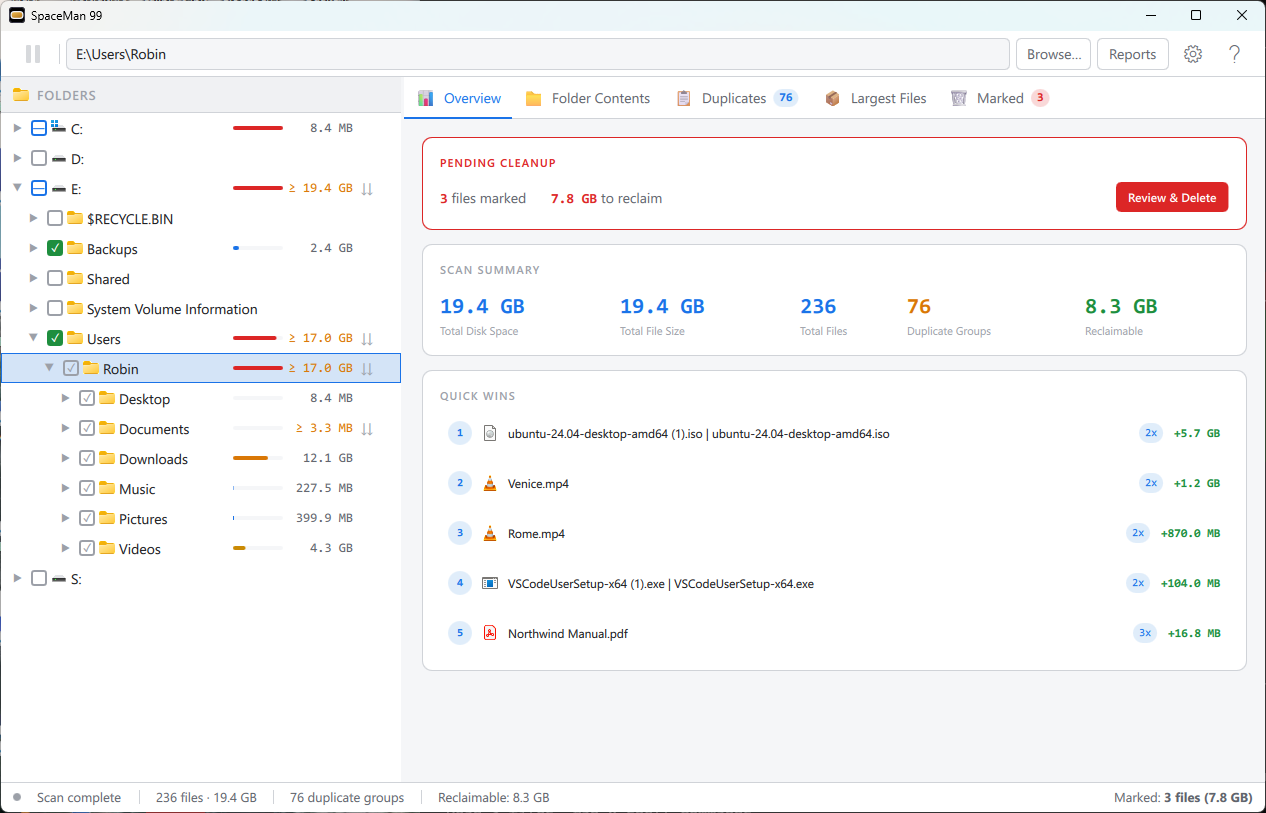
SpaceMan 99 Find duplicate files, and see what is filling your disk
Tick a drive or folder to scan it. Every folder shows its size, so the largest stand out, and SpaceMan 99 finds every set of files with identical contents, whatever they are called and wherever they are. Mark the copies you do not need, review them, and delete them safely.
What you can do with it
See where the space goes
Tick a drive or folder to scan it. Every folder shows its size, with a bar for its share of the folder above, and the Largest Files tab ranks your biggest files
Find true duplicates
Files whose contents are identical, whatever they are called and wherever they are, with the groups that would free the most space listed first
Mark first, delete later
Mark the copies you do not need as you find them, review them all on the Marked tab, then delete them together, to the Windows Recycle Bin unless you choose otherwise
Never lose the last copy
SpaceMan 99 warns you before you delete the only copy of a file, or anything in a Windows or program folder
Fast, and cloud-aware
It reads as little as it can, and remembers what it has worked out, so searching the same files again is much quicker. Online-only OneDrive files are never downloaded
Mark duplicates in bulk 
Keep the newest or the oldest copy in every group, or clear the duplicates out of a folder, in one go
Save and share reports
Summary, folder sizes, file types, duplicates and largest files. View every report free; save it as a web page, CSV, JSON and more, print it or copy it with PRO
Scan network locations
Measure folders and find duplicates on other computers and network drives, not just your own disks
Licensing
Free for non-commercial use (except PRO features)
Buy a license
for commercial use and to enable all features
How It Works
Tick folders to scan
Tick a drive or folder, and SpaceMan 99 measures it and finds the duplicates
Mark what you do not need
Tick the copies to remove, one at a time, or by rule with a PRO license
Review and delete
Check everything you marked, then delete it all at once
The folder tree shows the size of every scanned folder, and the Overview tab sums up the scan, with the duplicates that would free the most space